3 Months
25.00 US dollars per device
per device, paid once
$8.33 a month
- Xtream login and M3U playlist link
- Switched on automatically once paid
- One payment, never renews by itself
- Fire TV, Android, smart TV, iPhone, PC
Trex IPTV is a premium streaming service that puts live TV, movies, sports and entertainment on the screens you already own. Pick a period, pay once, and your login details are emailed to you as soon as the payment clears.
Plays on
These eight points describe how the service is sold and delivered, and each is set out in more detail elsewhere on this site.
Whichever plan you pick, the login opens the same live TV, movies, sports and entertainment; a shorter term is not a reduced tier.
Fire TV, Android, iPhone, iPad, Samsung and LG televisions, and computers play the service through an Xtream Codes or M3U player.
The apps page has Trex IPTV players for Android, Windows, Mac and Fire TV, with a SHA-256 checksum beside every file this site hosts.
Each device you put on an order is given a username and password of its own; no login can run two streams together.
Your order total is taken a single time to cover the full term, and with no stored card there is no automatic renewal.
Once the payment provider confirms your payment, the order system sets up your line and emails the login, with no manual step in between.
The order form offers three regions, Arabic, Europe & UK and USA & Canada, and keeps adult categories off unless you opt in.
The refund policy grants a full refund when no login arrives, or when a fault of ours that stops the service playing cannot be fixed, if you ask in time.
A Trex IPTV subscription is paid access to live television channels, movies, sport and general entertainment, streaming to you over your home internet connection. There is no dish to mount and no decoder to rent. You buy a block of time, you receive a login, and you type that login into a player app on your TV, phone, tablet or computer.
The service does not change from plan to plan. What you choose is the length of the period and how many devices go on the order. Longer periods cut the cost of each month, and every price appears in US dollars well before any payment page opens.
Four periods are on sale: three months, six months, one year and two years. Each price covers one device for the full period. The table below is read from the live price list, so the figure you see is the figure that goes on your order.
New to this kind of service? Three months is the shortest period on sale, and it gives you time to see how your own TV, app and connection cope before you think about anything longer. If you already know you will keep watching, the one-year and two-year plans bring the monthly cost down the most.
25.00 US dollars per device
per device, paid once
$8.33 a month
35.00 US dollars per device
per device, paid once
$5.83 a month Save 30%
55.00 US dollars per device
per device, paid once
$4.58 a month Save 45%
90.00 US dollars per device
per device, paid once
$3.75 a month Save 55%
Prices are per device, in US dollars.
Ordering takes a few minutes and happens in a single form. This is the sequence:
Nobody has to approve your order by hand. Confirmation of the payment starts the setup on its own, a line is created for each device on the order, and the details are emailed to you once. Should your bank hold the payment for a security check, activation simply waits until the hold is lifted.
Connection type. The app login suits nearly everyone. Your email carries three login fields plus an M3U playlist link, and together they cover Fire TV, Android, smart TVs, iPhone, iPad and computers, so there is nothing to choose here.
Region. Choose USA & Canada, Europe & UK, or Arabic, based on the channels your household watches most, and your line is prepared for that region. If you are unsure, ask through the contact form before ordering. The region can also be changed later on request.
Adult categories. These stay switched off unless you turn them on in the order form. Leave the box unticked if children use the same screens.
If a device can run a player that accepts an Xtream Codes login or an M3U link, it can play the service. In practice that includes:
Trex IPTV apps for Android-based devices, Fire TV, Windows and Mac are on our apps page. On anything else you install a third-party player instead. A few of those apps ask for a fee of their own; that money goes to the app's developer and has nothing to do with your subscription. The setup guide covers each device one by one.
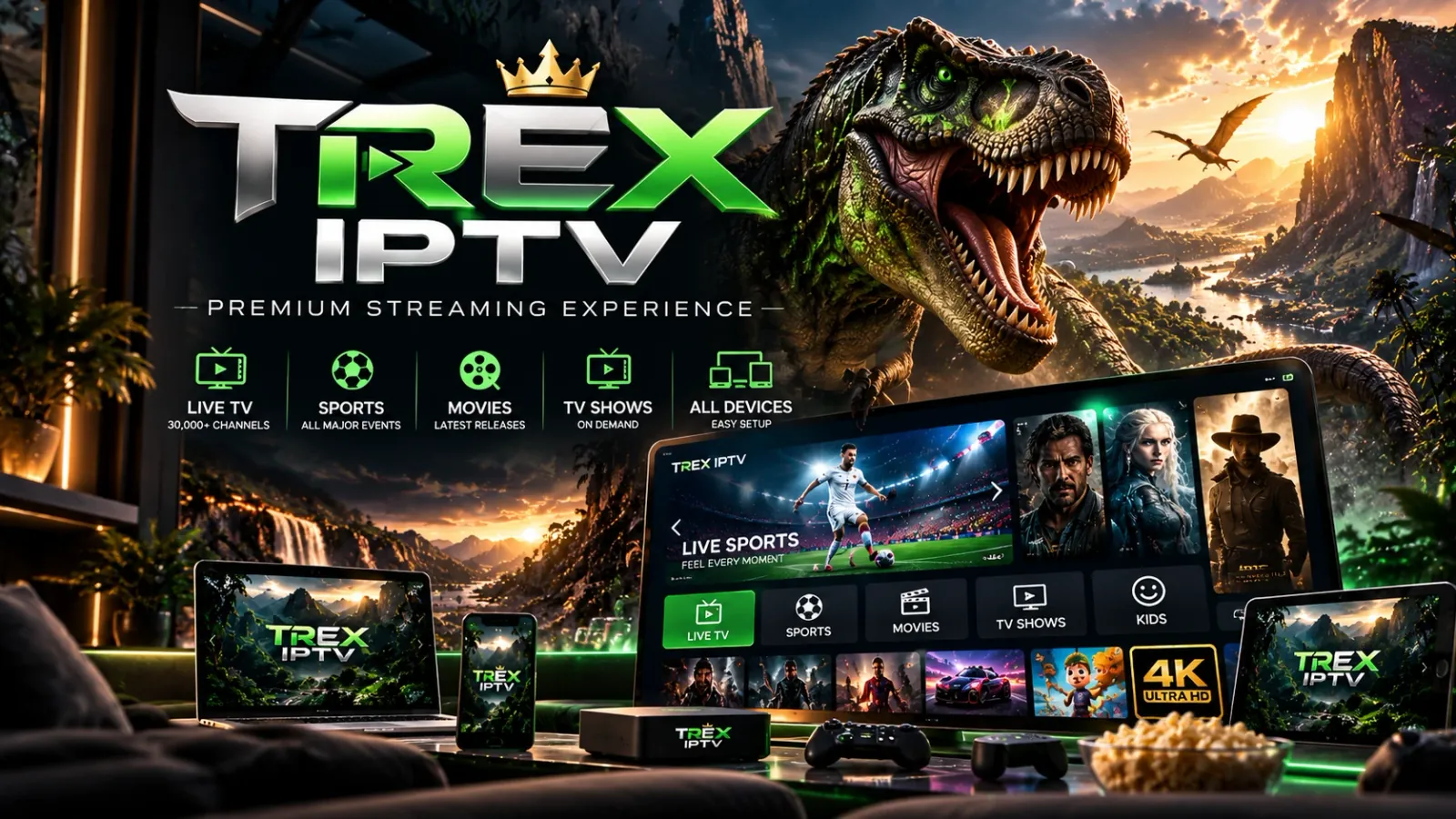
The pictures below are brand artwork: illustrations of the service on a television and other devices, not a list of channels or titles.
If this is your first order with a given email address, a welcome message lands straight away with a password for your account area, where your orders and lines are listed. Once the payment is confirmed and the line is ready, a second email follows with a subject that begins 'Your Trex IPTV subscription is live'. Inside it you will find:
Inside the email
Keep that email somewhere safe. It is your record of the login, and you will need it again each time you set up a new screen. If it is not in your inbox, look in the spam and promotions folders before getting in touch.
Payment takes place in a hosted checkout run by the payment provider. The card form opens inside the order page, in a secure frame that belongs to the provider, and with some payment routes the provider's own page opens instead. Either way, your card number goes straight to the provider and never passes through trex-iptv.app. You are charged once for the period you chose. Nothing renews on its own and no card is kept on file, so access ends on the end date unless you decide to add more time.
Prices are set in US dollars. Depending on the payment route in use, your bank may show the charge as the equivalent amount in Egyptian pounds, converted at the current rate.
Points that are easy to miss, set out before you pay:
Because nothing is billed automatically, renewing is your call. To extend the line you already have and keep the same username and password, message Trex IPTV support on WhatsApp with your order number; the number is listed on the contact page. A new order placed on this website creates a fresh line with new login details. That works too, but you will then need to enter the new details on each device.
Use the contact form for questions before or after you buy. Include your order number, the device and app you are using, and the name of the channel if the fault affects just one. With those details, support can look at your line without a long back-and-forth.
If a fault sits on the Trex IPTV side and cannot be fixed, or your login details never arrive, you are entitled to your money back. The refund policy sets out exactly when that applies and how the money is returned.
Reviews shown here come from buyers with a paid order, and each one is checked against that order before it appears.
None has been published yet. If your order is paid and you would like to share how it went, send your review through the contact form with your order number.
Buyers looking into a Trex IPTV subscription tend to raise the same dozen questions, and each answer here is based on how the service is actually sold on this website. When the truthful reply is no, or a number is not published here, the answer says so and tells you what you can do instead.
Trex IPTV is a paid television subscription that reaches you over your internet connection and carries 30,000+ live TV channels; IPTV stands for Internet Protocol television. What you buy is a login, and once it is entered in a player app, that app shows live TV, movies, sports and entertainment. The subscription is sold in four fixed terms, the shortest three months and the longest two years, and the length of the term is the only difference between plans. It does not include the screen or the connection itself; you bring both.
Whether Trex IPTV is good for you depends on the service and on your screen, player and connection. This site publishes no star ratings, review scores or customer numbers it cannot prove. Before paying you can check the listed prices, the single charge with no renewal and the written refund policy. Reviews or Reddit threads elsewhere are other people's experience, unchecked by this site, and may concern another seller using the same name. The shortest paid term, three months, shows how it runs on your setup, though a change of mind brings no refund.
Trex IPTV costs 25.00 USD for three months, 35.00 USD for six, 55.00 USD for the 12-month subscription and 90.00 USD for two years. Those subscription prices are for one device each and are charged a single time; a second device added to the order doubles the total. Spread over the term, the 12-month plan comes to 4.58 USD for each month, against 8.33 USD on the three-month plan. The plans page shows the same pricing, kept in step with the checkout.
You can get Trex IPTV directly on trex-iptv.app, an official Trex IPTV website, by completing the order form. You pick a term, the number of devices and a region, add your contact details, and pay by card on the payment provider's hosted checkout page. No account is needed in advance. After the payment is confirmed, your login goes by email to the address on the order, and the order status page shows where your order stands.
Yes, there are Trex IPTV apps for Android phones and tablets, Android TV boxes, Amazon Fire TV Stick, Windows and Mac, all listed on the apps page. The Android and Fire TV versions are APK files, Windows gets an installer and Mac a disk image. Files hosted on this site show their size, publish date and SHA-256 checksum, so you can confirm a download is the exact file published. Samsung and LG televisions, iPhone and iPad have no official app and use a compatible player from their own app store.
No single player is best for everyone. A Trex IPTV login works in any player built to take an M3U playlist link or Xtream Codes details, and both arrive in your login email. The apps on the apps page are the service's own players and install from a file. A player from your device's app store uses the same details; where no official app exists, it is the only option. Store players are separate products and some charge their own fee, so read the store listing before you install one.
No, Trex IPTV does not offer a free trial of any length. The smallest purchase is three months at 25.00 USD per device, charged once and ending by itself if you buy nothing more. That is a paid term, not a trial: deciding it is not for you does not bring the money back. A refund depends on the cause, such as a failure at our end that support cannot repair; the refund policy attaches conditions and a deadline to any request, so read it before ordering and report any problem right away.
To set up Trex IPTV, install a player app, open your login email and enter the details it contains. Get the app for your device from the apps page or, where there is no official app, from the device's own app store. Copy the server address, then username and password, out of that email, keeping upper and lower case as written; a player with a single playlist box takes the M3U link instead. The setup guide takes each device in turn, from a Fire TV Stick (Firestick) to a smart TV, phone or computer.
You log in to Trex IPTV inside your player app, using the details emailed to you once the order is paid. Those details name the server and give your username and password, and they go into the player, not into this website. A second password is for your Trex IPTV account area, which lists what you have bought: it arrives in the welcome email sent with a first order, and the same email links to that area. If a login is refused, check which of the two emails you copied from.
No channel list is published here, but Trex IPTV has 30,000+ live TV channels. They come from third parties and can be added or withdrawn during a term, so no named channel is promised for a whole term. When ordering you pick one region, Europe & UK, Arabic or USA & Canada, and say whether adult categories are switched on. If the purchase hangs on one channel, name it through the contact form and wait for the answer before paying; a missing channel you never asked about is not grounds for a refund.
Yes, Trex IPTV includes 4K Ultra HD streams. Not every channel or title is in 4K, and this website does not list which ones play at which resolution. What reaches your screen is shaped by your internet connection, your television or box and the player app, not by the subscription alone. If 4K matters to you, use the contact form to ask about specific channels before you order. Any reply from support describes what is carried on the day you ask and is not a guarantee for the whole term.
Trex IPTV has no reseller panel on this website and no self-serve reseller sign-up. Reselling is done with reseller credits, bought as a bundle and arranged in a WhatsApp conversation with support; the number is on the contact page and the current bundle on the plans page. One credit covers a single connection for a month. Anyone who resells access is responsible for making sure that is lawful where they and their customers live. A normal subscription login is for your own household only; shared or sold on, it is closed without a refund.
Some questions reach beyond one brand to IPTV in the United States as a whole. The answers here are general consumer information, not legal advice, and each one adds only what this site can state about Trex IPTV.
IPTV has no single price in the USA: the monthly cost depends on the kind of service, the length of term and the screen count. When comparing subscription packages, check the price per device, automatic renewal and any extra charge for the player app. Trex IPTV is paid per term, not per month: 25.00 USD for three months or 55.00 USD up front for a 12-month subscription, equal to 4.58 USD a month, per device. The payment can appear in Egyptian pounds on your statement, possibly with a currency fee from your bank.
No IPTV service, platform or subscription is best for every household. Compare what you can verify before paying: who holds the rights to the channels, a published channel list, clear prices, written billing and refund terms, apps for your devices and a short first term. Trex IPTV lists four prices, bills each term once with no auto-renewal, has apps for Firestick, Android, Mac and Windows and puts its refund rules in writing; its shortest term is three months. It offers no free trial, and no channel list or rights information is published here.
An IPTV service in the USA can be legal or illegal; the word IPTV does not tell you which. It only describes how the picture reaches you, and many licensed television companies deliver channels that way. For any one channel or film, what counts is whether its owner let the service show it, plus the law where you watch. This site publishes no rights or licensing information for Trex IPTV channels and makes no claim on that point. Checking before you pay is your responsibility, and the terms require lawful use where you live.
No, the United States has no general block on IPTV as a technology; licensed television services use it daily. An individual service or web address can still become unavailable: a court can order one blocked or taken offline in a copyright case, a provider can stop operating, and some workplace, school or hotel networks restrict streaming. Any of these can affect any service, Trex IPTV included, and this site does not promise that it stays reachable on every network or for a whole term. It also gives no advice on getting around a restriction.
The risk of using IPTV varies with the service and takes three forms: legal, financial and technical. Watching content a provider has no right to distribute may be unlawful where you live. Money paid ahead can be lost if a service stops or changes, so a longer term puts more at stake, and apps installed from a file skip app-store review. Trex IPTV is prepaid too, and its apps install from files; one payment, no stored card and a checksum per hosted file do not remove those risks. The legal check stays with you.
An order on this site is made under the terms of service; here are five of the main points in plain words.
What this site collects, why, and who handles it is all in the privacy policy; the five points below are the short version.
Ready to choose your Trex IPTV plan?